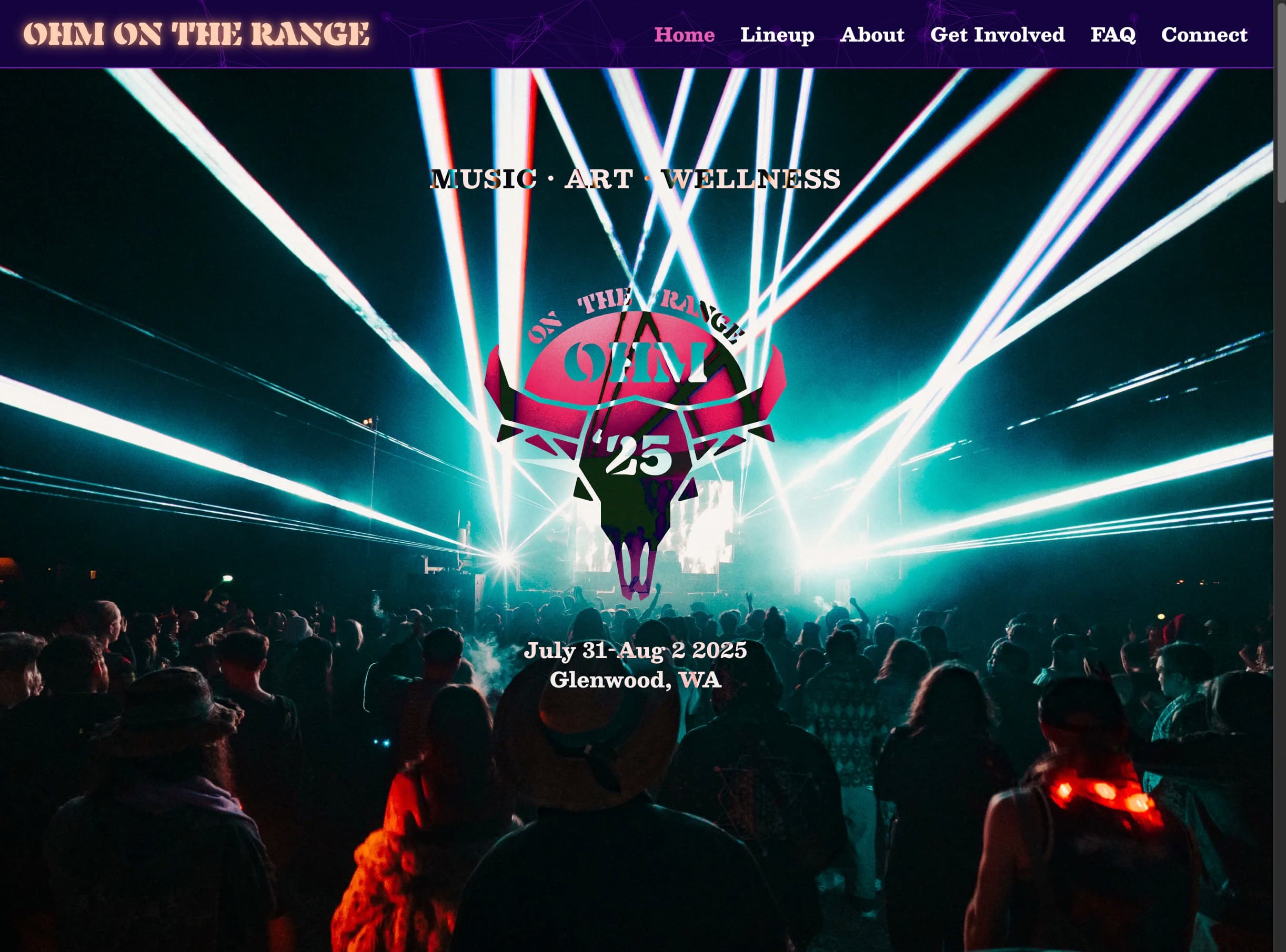
I built the official website for Ohm on the Range, a music, art, and wellness festival at the base of Mount Adams. I owned the whole thing: brand identity, logo, design system, frontend, content architecture, and launch.
What it is
A fast festival site where attendees, volunteers, artists, and vendors find what they need quickly and buy tickets. Eventbrite handles ticketing, Google Forms handles applications. Everything else is custom.
Goals and constraints
This site had to do two jobs at once: capture the festival's whimsical "space-cowboy" energy and still work as a practical tool people rely on. Most visitors arrive on mobile from social (often on weak connections), looking for one answer fast, and details change year-to-year. That drove a few clear build priorities:
| Constraint | Response |
|---|---|
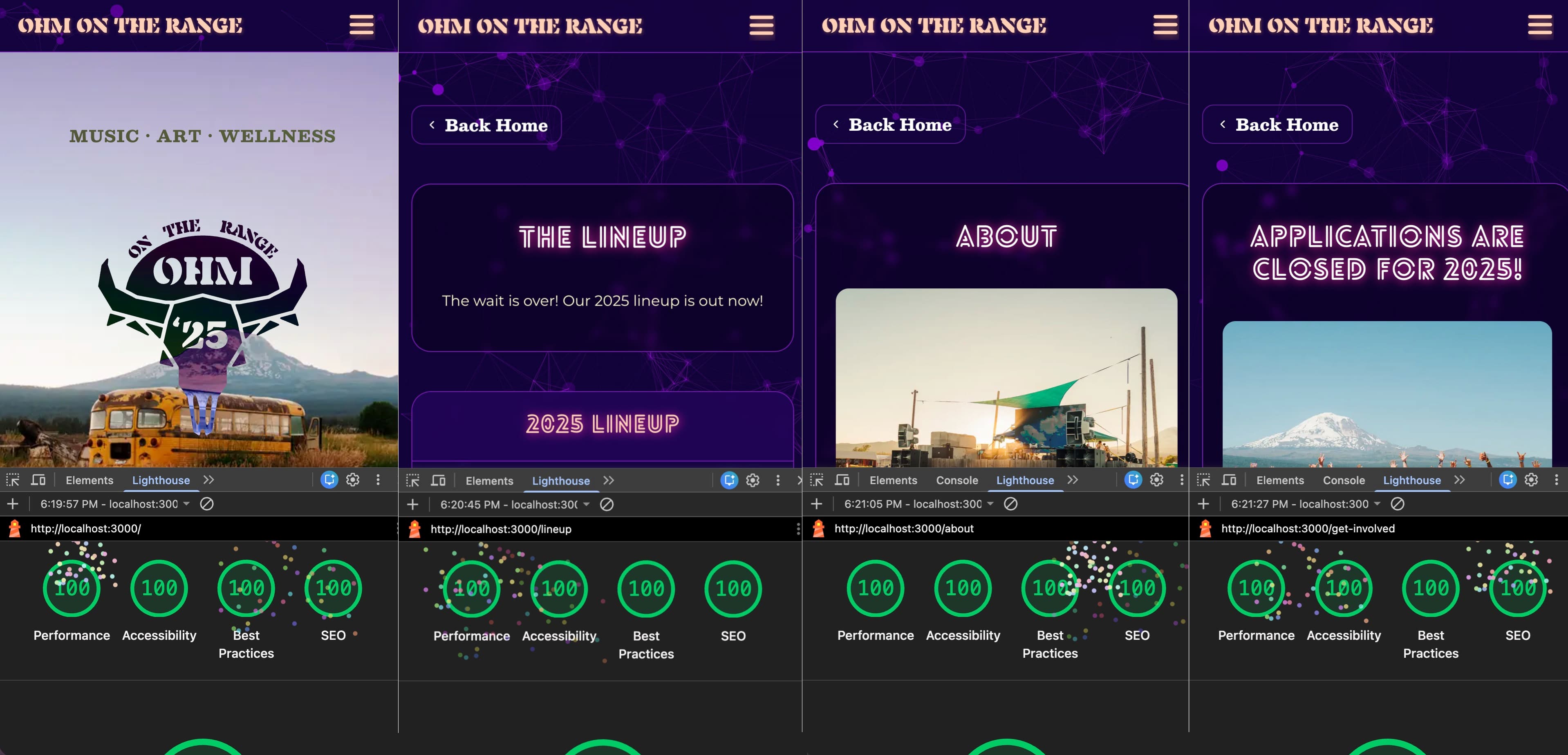
| Mobile-first traffic + weak connections | SSR, optimized images with mobile/desktop crops, progressive enhancement, perfect Lighthouse scores across every route. |
| Accessibility is non-negotiable | Screen-reader content generated from the same data source as the UI, semantic headings, touch-friendly targets. |
| Time-sensitive info changes often | Single data source feeds UI, screen-reader layer, and JSON-LD. Modular card-based homepage makes adding lineups, announcements, or links painless. |
| People want essentials immediately | Easy navigation, information architecture built around what people actually came for: dates, tickets, lineup, FAQs. |
Highlights
Visual storytelling
The festival has a great photo archive, so photography does the heavy lifting: scenery shots, lasers, crowd energy, candid moments.
The hero uses a rotating full-bleed carousel:
- selective mobile/desktop crops to preserve framing
- preloads the next image
- smooth crossfades for a cinematic feel
Background effects as progressive enhancement
I added a geometric particle background (particles.js) as progressive enhancement. It loads after first paint, so the actual content is always there first. The particles are just atmosphere; if they don't load, nothing breaks.
Custom UI that works everywhere
The "Get Involved" page uses custom 3D flip cards (inspired by a component on Linktree's site). They use CSS 3D transforms and detect pointer type: on desktop they flip on hover, on mobile they flip on tap. I've reused this pattern on other projects since. Fancy hover effects are great, but they have to work on touch devices too.
Content architecture: one source, three outputs
One system I'm especially proud of: lineup content is defined once and transformed into three outputs that boost the site's SEO and accessibility.
The data is stored as type-safe, structured JSON-LD: dates, locations, organizer info, and performer lists, all in one place. From that single source, I generate:
RenderableLineupItem(UI): the visual content (titles + images)ScreenReadableLineupItem(a11y): human-readable strings rendered with sr-only so screen readers announce meaningful text instead of raw data.StructuredDataForLineupItem(SEO): JSON-LD embedded via<script>tags for rich results.
Because it's fully type-safe, adding the next year's lineup is straightforward: update one file, and the poster image, screen-reader output, and structured data all update together.
Note: the repo is private, but I put some code snippets at the bottom of this page if you're curious.
Process and collaboration
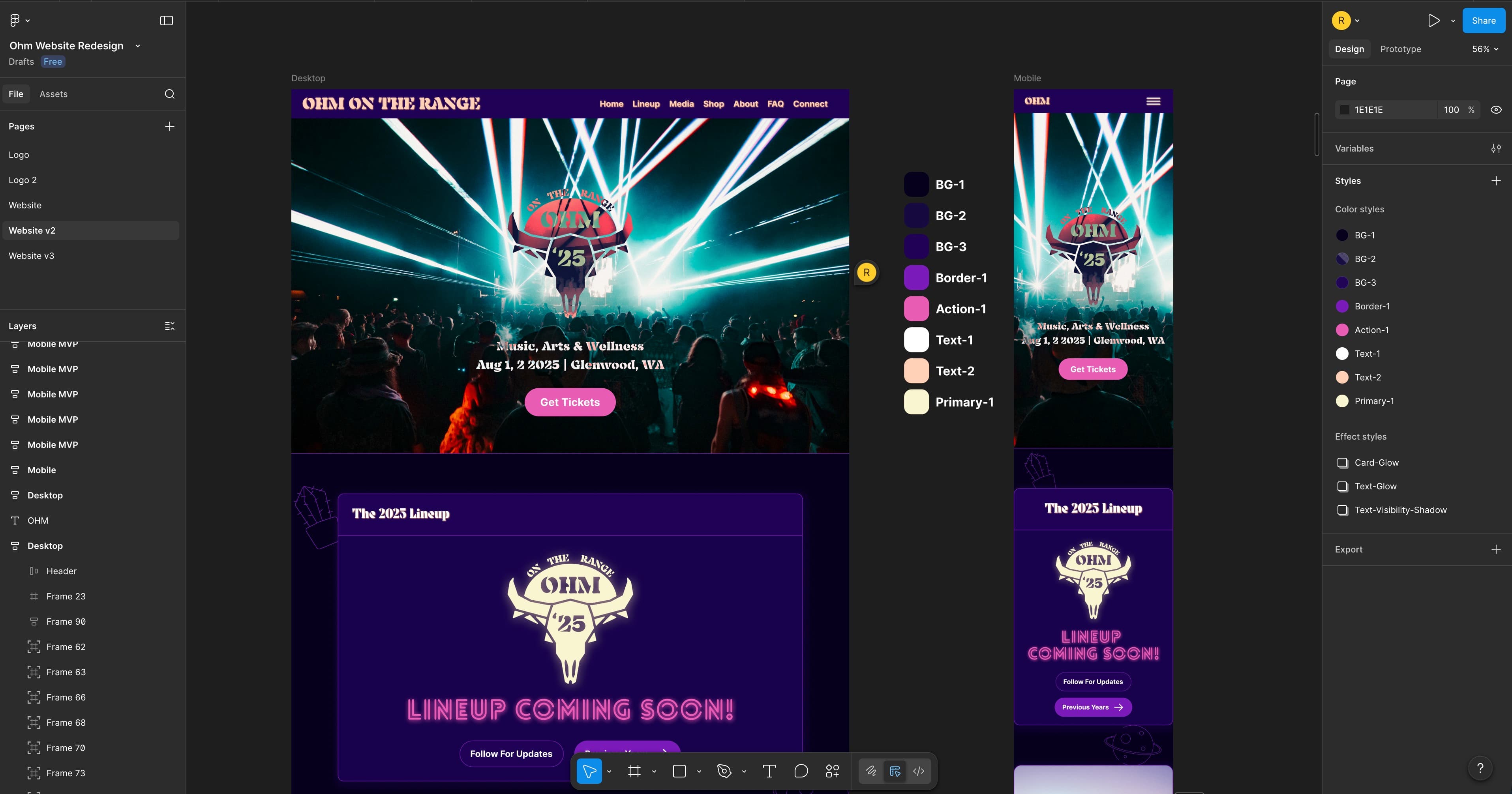
I started with requirements gathering and design exploration in Figma, then ran feedback rounds with the Ohm team to get on the same page about brand direction and content priorities.
We did four formal review rounds with mockups shared in Figma and a shared Google Doc for lightweight project tracking. Things really clicked when I got the team to sit with me in a live Figma session, watching me work while describing what they wanted in real time.
Branding and design system
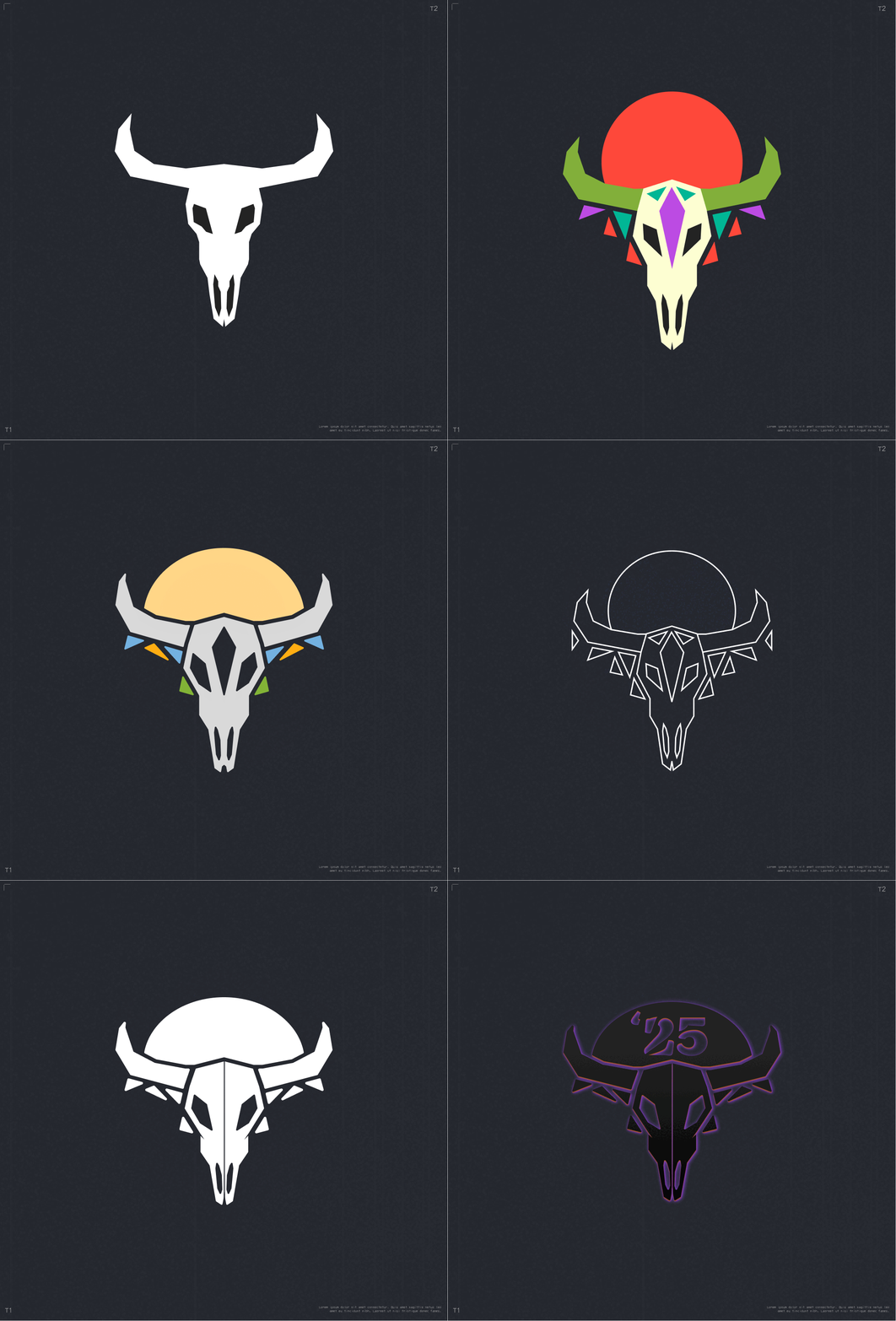
I developed a design system aligned to the festival's identity: fonts, colors, and reusable tokens. Designs started in Figma and were implemented with CSS variables to keep the codebase consistent and easy to iterate on. I also created the festival logo and supporting brand assets.
Results
First month after launch: 3,000+ unique visitors, more than double the previous year's traffic. Lighthouse scores are perfect across every route, which matters when half your audience is on a phone with spotty festival-area cell service.
Final thoughts
I'm proud of how this project came together. The content pipeline, the accessibility layer, the performance work, the brand system. It all clicked, the client was happy, and the numbers backed it up.
Code snippets (for the nerds)
Here's the lineup content pipeline at a high level:
// Source of truth stored as type-safe JSON-LD
const OHM_ON_THE_RANGE_2025 = {
  "@type": "MusicEvent",
  "@context": "https://schema.org",
  name: "Ohm on the Range 2025",
  image: [
    "https://www.ohmontherange.net/meta_photos/Ohm_Event_Thumbnail_Image_1x1.jpeg",
    "https://www.ohmontherange.net/meta_photos/Ohm_Event_Thumbnail_Image_4x3.jpeg",
    "https://www.ohmontherange.net/meta_photos/Ohm_Event_Thumbnail_Image_16x9.jpeg",
  ],
  startDate: "2025-07-31T12:00:00-07:00",
  endDate: "2025-08-02T22:00:00-07:00",
  eventStatus: "https://schema.org/EventScheduled",
  eventAttendanceMode: "https://schema.org/OfflineEventAttendanceMode",
  location: PLACE_1,
  description:
    "Journey with us for 2 days of art, music, and wellness at our home on the range 🏔️✨🌱",
  offers: {
    "@type": "Offer",
    url: WEBSITE_URL,
    price: "225",
    priceCurrency: "USD",
    availability: "https://schema.org/InStock",
  },
  organizer: { ...ORGANIZER, sameAs: [FACEBOOK_URL, INSTAGRAM_URL] },
  url: WEBSITE_URL,
  sameAs: [FACEBOOK_URL, INSTAGRAM_URL],
  performer: musicGroupData[2025],
} satisfies WithContext<Event>;
// Years map
const EVENTS = {
  2025: OHM_ON_THE_RANGE_2025,
  2024: OHM_ON_THE_RANGE_2024,
  2023: OHM_ON_THE_RANGE_2023,
  2022: OHM_ON_THE_RANGE_2022,
} satisfies Record<SupportedYears, Event>;
// Events parsed for screen-reader content
const LINEUPS_FOR_SCREEN_READER = {
  2025: {
    name: EVENTS[2025].name,
    startDate: EVENTS[2025].startDate,
    endDate: EVENTS[2025].endDate,
    location: locationToString(EVENTS[2025].location),
    description: EVENTS[2025].description,
    organizer: organizerToString(EVENTS[2025].organizer),
    performers: EVENTS[2025].performer.map(performerToString),
  },
  2024: { ... },
  2023: { ... },
  2022: { ... },
} satisfies Record<SupportedYears, ScreenReadableLineupItem>;
// Lineups array aggregates transformed data for each context (render, screenReader, and structuredData)
const years = [2022, 2023, 2024, 2025] as SupportedYears[];

const LINEUPS = years.toReversed().map((year) => ({
  year,
  render: render[year],
  screenReader: screenReader[year],
  structuredData: structuredData[year],
}));
// Lineup items data are mapped over and passed into LineupItem component
{LINEUPS.filter((lineup) => lineup.year !== CURRENT_YEAR).map(
  (lineup) => (
    <section key={lineup.year} id={`${lineup.year}`}>
      <LineupItem {...lineup} />
    </section>
  )
)}
// LineupItems data are delegated to their respective components
export function LineupItem({
  render,
  screenReader,
  structuredData,
  year,
}: LineupItemProps) {
  return (
    <>
      {render && <LineupRender lineup={render} year={year} />}
      {screenReader && <LineupForScreenReader lineup={screenReader} />}
      {structuredData && <LineupStructuredData event={structuredData} />}
    </>
  );
}
// LineupStructuredData component
export function LineupStructuredData({ event }: LineupStructuredDataProps) {
  return (
    <Script
      id={`structured-data-for-${event.name.replaceAll(" ", "-")}`}
      type="application/ld+json"
    >
      {JSON.stringify(event)}
    </Script>
  );
}
// LineupForScreenReader component
export function LineupForScreenReader({ lineup }: LineupCardProps) {
  return (
    <div className="sr-only">
      <h3>{lineup.name} Festival Information</h3>
      <p>Start Date: {lineup.startDate}</p>
      <p>End Date: {lineup.endDate}</p>
      <p>Venue: {lineup.location}</p>
      <p>Description: {lineup.description}</p>
      <p>Organizer: {lineup.organizer}</p>
      <p>Performers: {lineup.performers?.join(", ")}</p>
    </div>
  );
}
// LineupRender component
export function LineupRender({ lineup, year }: LineupRenderProps) {
  return (
    <Card className="group overflow-hidden transition-all duration-300 hover:scale-[1.01]">
      <CardHeader>
        <h3 className="font-decoration text-text1 glowing-pink text-center text-3xl md:text-4xl">
          <a href={`#${year}`} className="hover:underline">
            {year} LINEUP
          </a>
        </h3>
      </CardHeader>
      <CardContent className="p-4">
        <div className="relative w-full overflow-hidden rounded-lg">
          {lineup.image && (
            <Image
              src={lineup.image}
              alt={`${lineup.title} Lineup`}
              width={lineup.image.width}
              height={lineup.image.height}
              sizes="(max-width: 1024px) 80vw, 897px"
              placeholder="blur"
              className="h-full w-full object-cover transition-transform duration-500 group-hover:scale-102"
            />
          )}
        </div>
      </CardContent>
    </Card>
  );
}